
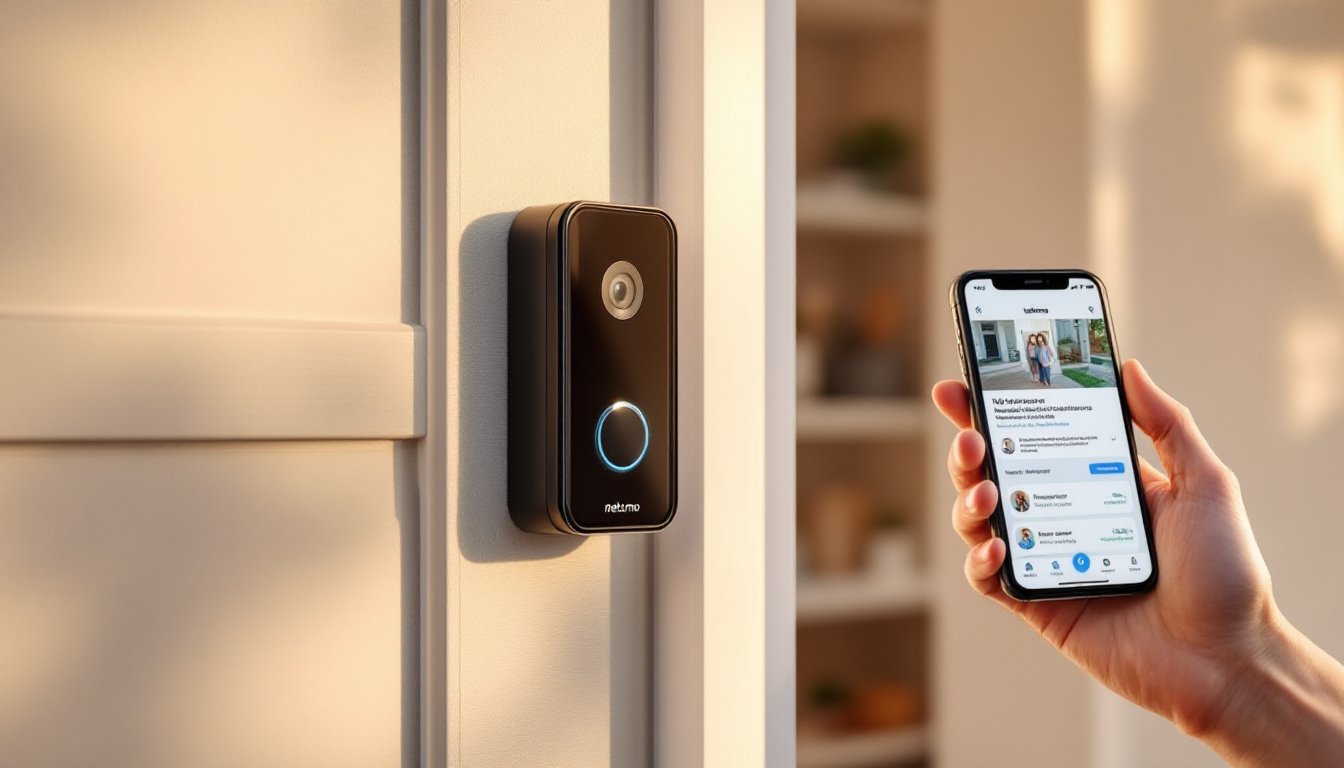

A smart video doorbell transforms how homeowners monitor their front entrance, combining security with convenience. The Netatmo Smart Video Doorbell delivers high-definition video, intelligent person detection, and seamless home integration, without relying on cloud subscriptions for basic functionality. Unlike competing systems, Netatmo prioritizes local processing and privacy, storing footage locally when paired with compatible hardware. Whether someone’s upgrading from a traditional peephole or adding a second camera to an existing smart home, this guide covers what makes Netatmo stand out, how to install it correctly, and what security features actually matter in 2026.
Key Takeaways
- The Netatmo Smart Video Doorbell is a wired camera that draws power from existing doorbell wiring, eliminating battery charging and ensuring continuous operation without downtime.
- Unlike cloud-dependent competitors, Netatmo prioritizes local processing and privacy by storing footage locally on a USB drive when paired with the Welcome hub, keeping video off third-party servers.
- The Netatmo doorbell features 1080p Full HD video, automatic infrared night vision, and intelligent AI-powered person detection that reduces false alerts by distinguishing people from packages and animals.
- Installation typically takes 30–45 minutes and involves low-voltage wiring; kill power at the breaker first, verify the doorbell transformer outputs 16–24 VAC, and use a multimeter to test before disconnecting old wiring.
- Homeowners should check local building codes and permits before installation, as some jurisdictions require disclosure if the camera faces neighbors’ property, and two-party-consent states may have audio recording restrictions.
- Pair the Netatmo doorbell with the Welcome hub to unlock advanced features like continuous local recording, customizable motion zones, and granular family member permission controls through the app.
What Is the Netatmo Smart Video Doorbell?
The Netatmo Smart Video Doorbell is a wired doorbell camera that replaces a traditional doorbell at a home’s entry point. It captures real-time HD video and audio, letting homeowners see and communicate with visitors from anywhere via a smartphone app. Unlike battery-powered doorbells, the Netatmo model draws power from existing doorbell wiring, the same low-voltage wires running to a doorbell transformer (typically 16–24 VAC). This wired setup eliminates charging headaches and ensures the camera never goes offline due to a dead battery.
The device pairs with Netatmo’s Welcome hub (optional but recommended) to enable local storage, advanced AI detection, and continuous recording without cloud fees. A smartphone can receive notifications, but the real intelligence, person vs. package detection, happens on the hub itself. This architecture appeals to privacy-conscious homeowners who don’t want constant video streams traveling to remote servers. The doorbell also works standalone with cloud backup, though local storage is where Netatmo’s competitive edge lies.
Key Features That Set It Apart
Video Quality and Night Vision
The Netatmo doorbell captures 1080p (Full HD) video at up to 30 frames per second, delivering crisp detail for facial recognition and package identification. The fixed 160-degree horizontal field of view covers most front entry scenarios, though it won’t span a wide porch or driveway without repositioning.
Night vision uses infrared LED illumination, not visible light, so visitors won’t be startled by a spotlight at dusk. The camera switches automatically when ambient light drops, and the black-and-white night mode holds fine detail, crucial for capturing license plates or recognizing unfamiliar faces. Most DIYers find the night performance competitive with Ring and Wyze offerings in the same price tier.
Two-way audio uses a built-in speaker and microphone with noise suppression. Homeowners can talk to delivery drivers, package thieves, or guests in real time. Audio quality depends partly on the doorbell transformer quality and wiring (more on that later).
Smart Recognition and Alerts
With the Welcome hub, the doorbell separates persons from packages and animals, critical for reducing false alerts. Instead of getting pinged for every passing dog or blowing leaf, users receive only relevant notifications. The AI learns which people are family (with optional face tagging) and flags unknown visitors differently.
Customizable zones let homeowners exclude parts of the video feed from triggering alerts (e.g., a busy street at the edge of the frame). Activity recordings can be set to continuous, motion-based, or person-only mode. Local processing means this logic runs on the hub, not cloud servers, reducing latency and privacy risk.
Installation and Setup
Important: Installing a doorbell involves working with low-voltage electrical wiring. If homeowners aren’t comfortable with basic wiring, hire a licensed electrician. Most installations take 30–45 minutes if the existing doorbell setup is straightforward.
What You’ll Need:
- Netatmo Smart Video Doorbell
- Netatmo Welcome hub (optional but strongly recommended)
- Screwdrivers (typically Phillips and flathead)
- Wire strippers
- Needle-nose pliers
- Multimeter (optional, but helpful for testing existing wiring)
- Drill with bits (if mounting bracket needs relocation)
Before Starting:
Kill the doorbell circuit at the breaker or transformer. Test the old doorbell to confirm power is off, don’t skip this step. Use a multimeter across the doorbell terminals: if the reading drops to near zero, power is confirmed off.
Note the existing wiring colors. Standard two-wire doorbells use one wire for 24VAC and one for ground/common. Take a photo of the old doorbell’s terminals before disconnecting anything.
Installation Steps:
-
Remove the old doorbell by unscrew the mounting bracket and carefully disconnect the two wires. Gently pull excess wire back into the wall cavity if needed.
-
Check the doorbell transformer. It should output 16–24 VAC. If power reads consistently below 16V under load, the transformer may be undersized or failing. A weak transformer causes audio dropout and intermittent connectivity, upgrade it if needed (costs $30–60 and requires an electrician for safety).
-
Mount the Netatmo bracket in place of the old one. The mounting plate sits flush against the door frame or siding. Use the screws provided: they’re designed for masonry, wood, or vinyl.
-
Connect the wires. Netatmo uses screw terminals clearly labeled on the back. Insert each wire into its terminal and tighten firmly, loose connections cause power loss and audio issues.
-
Secure the camera onto the bracket and test power immediately. The LED should glow steady or pulse gently (check the manual for status colors).
-
Connect to Wi-Fi and the app. Use the Netatmo app to scan the QR code on the doorbell. It’ll prompt for your Wi-Fi network and password. Connection takes 1–2 minutes.
-
Mount the Welcome hub (if using) in a central location in the home, within Wi-Fi range. Pair it to the doorbell through the app.
Common Gotchas:
If the doorbell won’t power on, the transformer may be dead. Test it with a volt meter, no reading means replacement time. Loose wires are the second-biggest culprit: re-strip and re-seat them if connectivity is spotty. Weak Wi-Fi signals cause delayed notifications: consider a mesh network node near the front entrance if the signal is borderline.
Security and Privacy Considerations
Local Storage and Cloud Backup:
With a Welcome hub, the Netatmo doorbell records to a plugged-in USB drive (or microSD card in some models), keeping video off third-party servers by default. This design means footage isn’t vulnerable to cloud breaches or unexpected policy changes. Netatmo can still back up clips to its cloud service for redundancy, but local storage remains the primary database.
Without a hub, footage relies on cloud storage: subscriptions are optional for cloud backup, but without it, only snapshots from alerts save to the cloud.
Encryption and Access Control:
All data between the doorbell, hub, and app is encrypted (TLS/SSL). Only the homeowner’s account can access the feed: sharing with family members requires inviting them through the app with granular permission controls (view-only, can speak, full access).
Building Codes and Permits:
In most jurisdictions, replacing an existing doorbell requires no permit, it’s a direct swap using existing wiring. But, some municipalities or HOAs require disclosure if the camera faces neighbors’ property or a public right-of-way. Check local ordinances, especially in multi-unit buildings. Recording audio may also have legal limits in two-party-consent states: confirm laws before assuming you can record conversations.
Physical Security:
The wired design eliminates battery theft concerns, though the doorbell itself could theoretically be pried off (unlikely but possible). The mounting bracket is tamper-resistant: report any unusual physical damage immediately.
Regularly update the app and check for firmware updates through the app’s settings. Outdated software introduces security gaps.
Conclusion
The Netatmo Smart Video Doorbell delivers wired reliability, local intelligence, and privacy-first architecture, making it a solid choice for homeowners who want security without cloud dependence. Installation is straightforward for anyone comfortable with basic low-voltage wiring: hire a pro if unsure. Pair it with the Welcome hub to unlock person detection and continuous local recording. Check local laws, confirm transformer output, and don’t skip the setup steps. Done right, a Netatmo doorbell serves for years with minimal fuss.