
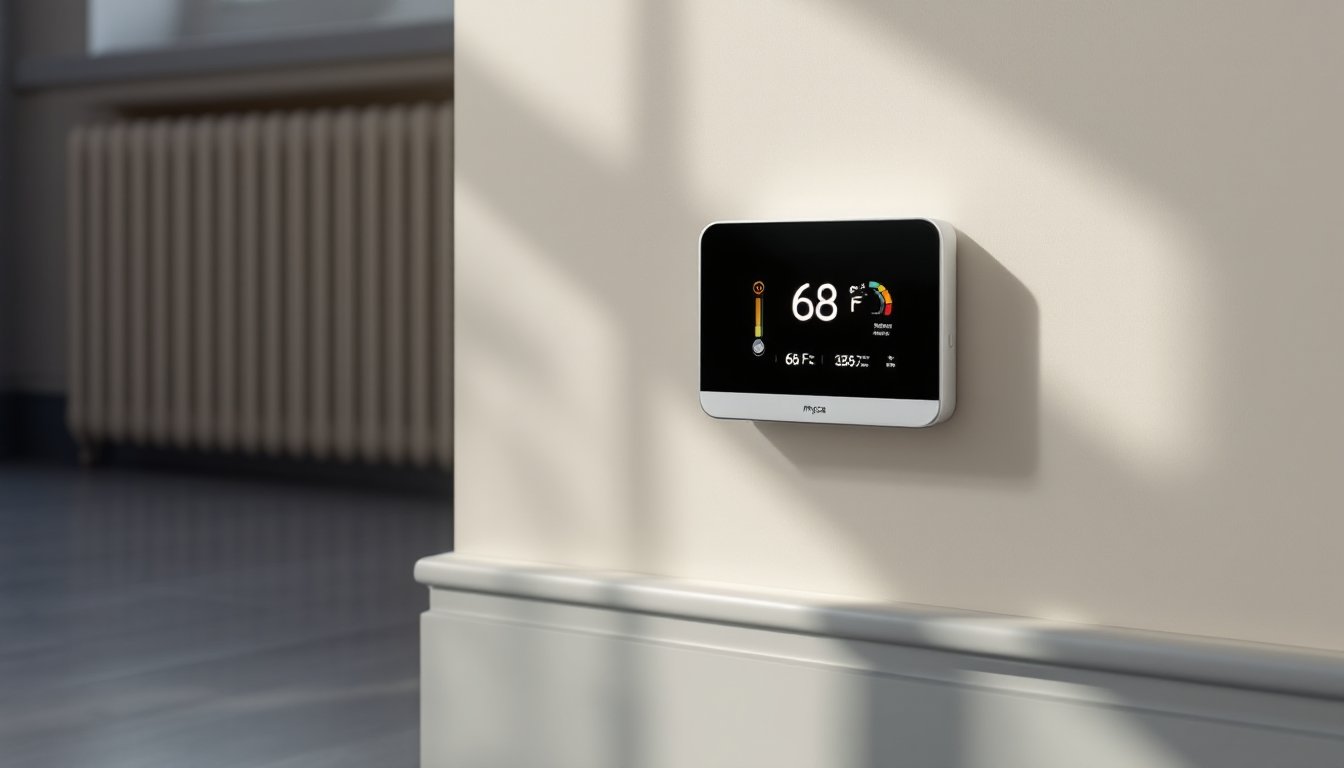

Electric baseboard heaters are efficient, but they’re often dumb, running on basic mechanical thermostats that waste energy and money. A Mysa smart thermostat changes that equation. Built specifically for electric baseboard heating systems, Mysa lets homeowners control baseboards from their phones, learn heating patterns, and cut energy costs without sacrificing comfort. Whether someone has a single heater in a garage or baseboards throughout a rental property, Mysa offers a straightforward upgrade that works within existing wiring. This guide walks through what Mysa does, how it installs, and how to get the most out of it in 2026.
Key Takeaways
- Mysa smart thermostat for electric baseboard heaters provides app-controlled temperature management and learning schedules, eliminating energy waste from traditional mechanical thermostats.
- Users typically save 10–23% on heating costs through precise temperature control, scheduling, and time-of-use pricing optimization with Mysa.
- Room-by-room control allows independent temperature settings across multiple baseboard heaters, letting you cool guest spaces while maintaining comfort in active areas.
- Installation requires no new wiring and works with existing 240-volt baseboard circuits; a plug-in version is available for renters or portable units.
- Reducing target temperatures by just 1–3°F and setting automated schedules—especially during away or sleeping hours—compounds savings without sacrificing comfort.
- Geofencing and usage reports enable continuous optimization, helping you identify energy-heavy rooms and adjust settings based on real occupancy patterns.
What Is Mysa and Why It’s Built for Electric Baseboard Heaters
Mysa is a Wi-Fi-enabled smart thermostat designed specifically for electric baseboard heaters and in-wall electric heating systems. Unlike generic smart thermostats, which often require compatible HVAC systems, Mysa plugs directly into electric resistance heating, making it ideal for homes, apartments, and rental properties that rely on baseboards.
Electric baseboard heaters work through simple resistance: electricity flows through a heating element, warming up and pushing heat into a room. Older mechanical thermostats sense temperature mechanically and click on or off. The result is overshooting (heating past the target temperature before shutting down) and energy waste. Mysa intercepts that electrical signal, letting homeowners set precise temperature targets, schedules, and remote controls via smartphone.
Why baseboard heating? Many homes, especially older constructions, rentals, and cold-climate areas, rely on electric resistance heating because it’s affordable to install and requires no ducting or central equipment. Mysa recognizes this reality and solves a real pain point: baseboard users typically have no smart control options.
Key Features That Set Mysa Apart
Smart Temperature Control and Learning Capabilities
Mysa lets users set target temperatures and schedules directly from an app or voice commands (Alexa, Google Home). The thermostat learns occupancy patterns, detecting when someone is home, away, or asleep, and suggests heating schedules to optimize comfort and efficiency. Geofencing tracks location, so heating adjusts automatically when the user leaves or arrives.
Room-by-room control is a big win. If a home has baseboards in multiple rooms, each can have its own Mysa thermostat with independent settings. A guest bedroom can stay cool while the living room stays warm, no compromise with a single central thermostat.
Energy Savings and Cost Reduction
Electric heating is one of the highest energy expenses in most homes. Mysa users typically see 10–23% energy savings, depending on heating habits and climate. The app provides detailed usage reports, showing which rooms consume the most energy and which times of day heating runs longest. Armed with that data, homeowners can adjust setpoints or schedules to reduce waste without discomfort.
Integration with utility rates is another angle. Some providers offer time-of-use pricing, where electricity costs more during peak hours. Mysa can shift heating to off-peak times, preheating a room before peak pricing or reducing heat during expensive hours. Over a heating season, this strategy can save hundreds of dollars.
Installation and Compatibility Considerations
Installation is straightforward for most baseboard setups. Mysa connects to the 240-volt electrical circuit that powers a baseboard heater, replacing the existing wall thermostat or wired control. No new wiring is needed if an existing thermostat is present, Mysa simply takes its place.
Compatibility is critical. Mysa works with electric baseboard heaters, electric resistance heating, and some hydronic (water-based) systems with electric controls. It does not work with gas furnaces, heat pumps, or central air systems. Check the product spec sheet and your system type before purchasing. If unsure, take a photo of the existing thermostat and any heater labels and contact Mysa support.
For renters or those avoiding hardwired installation, Mysa also offers a plug-in version that sits between a baseboard heater and a standard outlet. This works for portable or window-mounted units.
Mounting the device requires basic drywall skills. Mount Mysa on the wall near a heater, away from direct airflow, and keep it clear of furniture or curtains that block temperature sensing. In multi-room setups, install one thermostat per heater for best results.
A 2.4 GHz Wi-Fi network is required. Make sure the router has decent range to the thermostat location: a weak signal can cause delays or disconnections. Some users solve this with a mesh network or Wi-Fi extender.
How to Maximize Efficiency With Your Mysa Thermostat
Once installed, smart thermostat gains come from intentional use. Start by setting realistic target temperatures. Every 1°F reduction can save 2–3% on heating costs. Lower the heat 2–3°F when away or asleep: raise it only in regularly occupied spaces. Many homeowners find 68°F acceptable during the day and 62°F at night without sacrificing comfort.
Schedules are the backbone of savings. Create a weekday schedule that heats the home before wake-up, reduces heat during work hours, and raises it again before arrival. Adjust weekends separately. Mysa’s learning feature suggests schedules based on occupancy: review and refine them for your routine.
Geofencing adds convenience. When the last person leaves home, Mysa drops the setpoint to an away temperature (say, 55°F). When someone returns, it climbs back to comfort level. This happens automatically, no manual changes or forgotten adjustments.
Monitor usage reports monthly. If one room runs hot much longer than others, check for drafts, poor insulation, or open vents. Adjust that room’s setpoint down slightly: you may not notice the difference but savings add up.
During mild shoulder seasons (fall/spring), many people forget to turn off baseboards or run them inefficiently. Set Mysa to a lower setpoint or away mode manually, even a few days can trim utility bills. In summer, turn off electric heating entirely if your climate allows.
Conclusion
Mysa smart thermostats solve a real problem for the millions of homeowners and renters with electric baseboard heating. They deliver app control, learning schedules, and measurable energy savings without the complexity or expense of replacing a heating system. Installation is quick, compatibility is straightforward to verify, and the payoff compounds over months and years. For anyone heating with baseboards in 2026, upgrading to a smart thermostat is one of the smartest DIY investments available.